Guides
Footage for Lyric Videos: Every Source, What It Looks Like, and the Copyright Risk
Where to get footage for lyric videos: your phone, licensed stock, clips from a video link, and AI b-roll. What each looks like on screen and which ones can get your post claimed or muted.
Start free
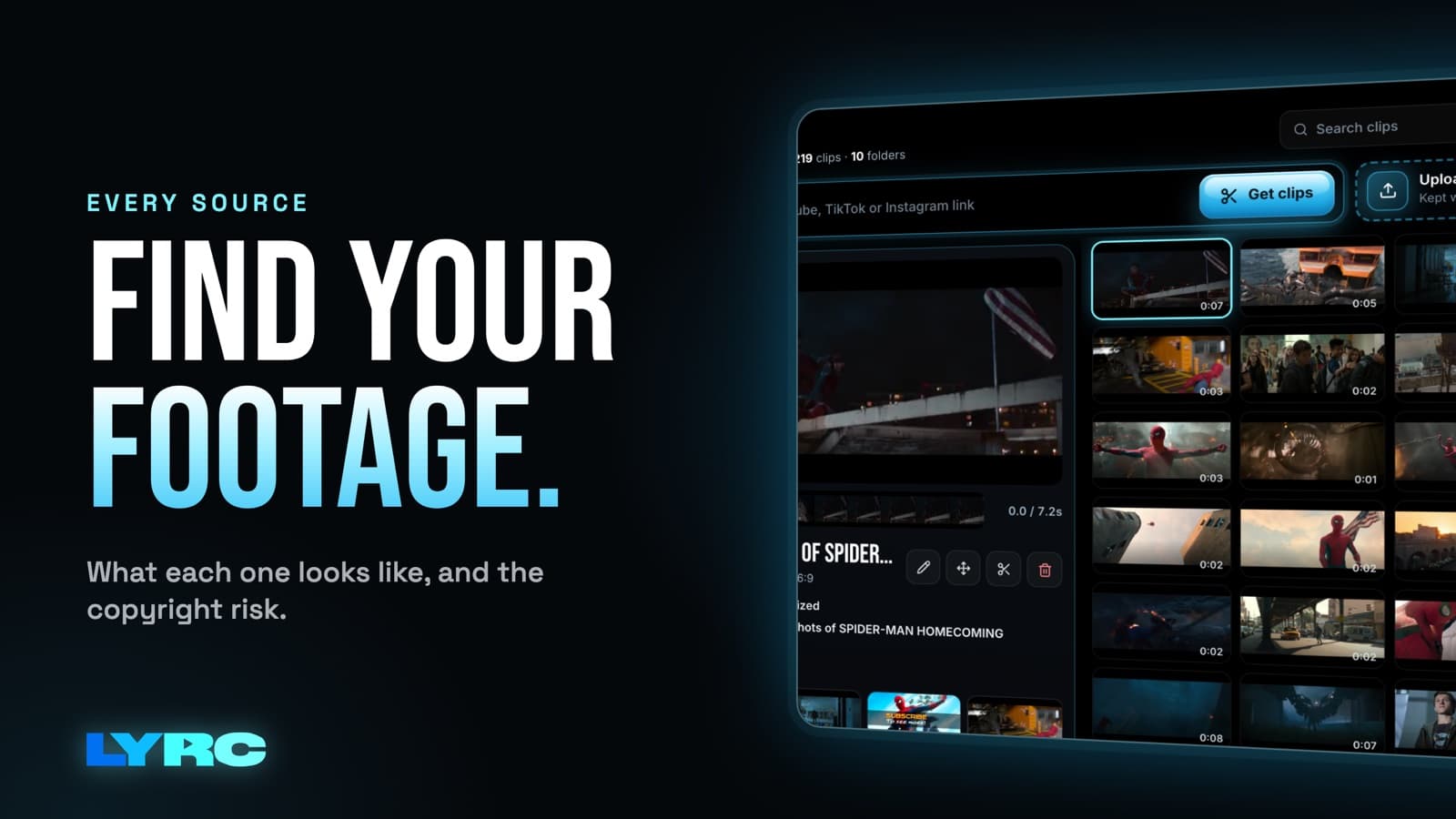
Footage for lyric videos comes from four places: clips you shoot on your phone, licensed stock, clips pulled from a video link, and AI-generated b-roll. Your own footage, licensed stock and AI b-roll are the safe picks. Clips from films, TV shows or other people's videos can get your post claimed or its audio muted on some platforms, and that's the last thing you want on a song promo. Mixing sources usually works better than one type. A few shots of you give the video an identity, while stock or AI b-roll can fill the fast cuts. If you have old videos of your own, pulling them in by link adds real moments too. Below is what each source looks like on screen, how to get it tonight, and how much risk it carries.
What kind of footage does a lyric video need?
Before you go looking, it helps to know what the footage has to do. A short lyric video for Reels, TikTok or Shorts is usually one 15 to 30 second section of your song, most often the hook. The cuts land on the beat, so every gap between two cuts is a slot that needs its own clip. A hook with a cut on every kick can eat through a lot of clips fast.
The footage also sits under your lyrics. That changes what works:
- Calm areas beat busy frames. Sky, walls, water, night streets and soft-focus shots leave room for text. A crowded frame fights the words.
- Vertical first. Reels, TikTok and Shorts are 9:16 (1080x1920). Horizontal clips get cropped, and the important part of the shot can end up off screen. YouTube's main player is 16:9, so if you're cutting a version for that, horizontal footage is fine there.
- Mood over meaning. Pick clips that match the song's mood; a literal match to the lyric matters less. A slow R&B hook and a hard trap hook want very different footage even when the words are similar.
Source 1: Footage you shoot on your phone
What it looks like: real, a little raw, and unmistakably yours. Nobody else on the feed has your studio, your car, your city at night or your face.
Copyright risk: the lowest of any source, because you made it. Just make sure anyone recognizable in the shot is fine being in your video.
How to shoot a usable batch in one evening:
- Set your phone to vertical and leave it there. Every clip you shoot sideways is a clip you'll have to crop later.
- Tap and hold on the screen to lock focus and exposure so the brightness doesn't pump when you move.
- Shoot the things around you: hands on the keys or MPC, the mic, headphones on the desk, the drive home, streetlights, a lighter, the window at 2am.
- Move slowly. A slow walk toward something or a slow pan reads better under text than a shaky run.
- Hold each shot longer than feels natural. You can always trim, and LYRC lets you scrub inside a clip to pick the best moment.
- Shoot more than one video needs. A bigger pool means more variations later.
The tradeoff is time and consistency. Phone footage takes effort, and lighting can vary a lot between shots. If you want the full walkthrough on getting your clips into LYRC, the uploading clips tutorial covers it.
Source 2: Licensed stock footage
What it looks like: clean and polished, and a little generic. Think city timelapses, ocean waves, neon signs, people at a party.
Copyright risk: low, as long as it's actually licensed for your use. Before you run any video as a paid ad, check the terms for whatever stock you used.
LYRC has a built-in stock library, and new footage keeps getting added. Stock is the fastest way to fill every slot in a video, which makes it great for testing a hook before you spend a weekend filming.
The downside: other artists can pick the same clip. Stock works best mixed with something only you have, like a couple of your own phone shots or one AI scene that matches your lyric.
Source 3: Clips from a video link (YouTube, TikTok, Instagram)
What it looks like: anything that's already online. In LYRC you paste a link from YouTube, TikTok, Instagram or 1,000+ other sites, and it splits that video into usable clips for your library.
Copyright risk: it depends entirely on whose video it is.
- Your own content: safe and underused. Your old music video, a live performance someone filmed for you, your past TikToks, a studio vlog. Pulling these in by link is a quick way to turn content you already have into new lyric videos.
- Collaborators' content: ask first. If a friend shot your show or a director made your video, get their OK before you cut it up.
- Films, TV shows, anime and other creators' videos: risky. I want to be straight about this. Using clips from films, shows or other people's videos can draw copyright claims or muted audio on some platforms. A muted lyric video is a dead lyric video, since the whole point is people hearing your song. Edit culture is full of movie-scene edits, and some go untouched, but you're betting your post on it.
If you love the movie-scene look, get close to it with AI b-roll or your own shots styled the same way, and keep your account clean.
Source 4: AI b-roll
What it looks like: cinematic scenes you describe in a prompt. A burning car on an empty highway, rain on a window in a neon city, a figure walking through fog. It can show exactly what your lyric is about, which stock rarely can.
Copyright risk: AI b-roll avoids the claims that come from reusing someone else's clips, because the footage is generated new for you.
In LYRC, the AI b-roll generator uses video models including Seedance 2.0. Generations cost credits, so it's a paid-plan tool in practice. There's also Be the Star: upload one selfie and generate AI video of yourself in a scene. The AI video and b-roll tutorial walks through both.
Tradeoffs to know:
- Not every generation lands. Watch each clip before you use it and regenerate the weird ones.
- Write prompts around mood and setting. Lighting, time of day and camera movement make the biggest difference.
- A video that's 100% AI can feel distant. One or two real shots of you keep it grounded.
Which footage source should you use?
| Source | What it looks like | Copyright risk |
|---|---|---|
| Your phone | Raw, personal, yours alone | Lowest |
| Licensed stock | Polished, sometimes generic | Low if licensed |
| Video link | Whatever the source video is | Safe for your own videos, risky for films, shows and other creators |
| AI b-roll | Cinematic, can match the lyric literally | Avoids reused-clip claims |
A simple way to decide:
- Testing a hook this week: stock, so you can post fast.
- You have old videos sitting around: pull them in by link and recut them.
- The lyric paints a specific picture: AI b-roll.
- You want people to know who you are: your own phone footage, at least a few shots per video.
How much footage do you need per song?
More than one video uses. If you're planning several videos for the same hook in the week before and after release, build a pool for the song that's clearly bigger than a single video needs. When clips get shuffled into the slots, a big pool means each version looks different instead of reusing the same shots.
A practical setup: keep a pool of clips for each song in your library. Put in your own shots, your best stock picks and a handful of AI scenes. Then make each new video from that pool, swapping in fresh clips as you shoot or generate them.
Mistakes that make good footage look bad
- Dropping horizontal clips into a vertical video without checking the crop. Reframe them so the subject stays in frame.
- Busy footage right under the lyrics. If you can't read a word at a glance, change the clip or move the text.
- One footage type for the whole video. All stock looks like an ad. All AI can look detached. Mix them.
- Building your best video on a movie scene. If it gets muted, all the work goes with it.
FAQ
Can I use movie or TV clips in my lyric video? You can, but clips from films, shows or other people's videos can get claimed or have the audio muted on some platforms. Your own footage, licensed stock and AI b-roll avoid that problem.
Is stock footage safe for lyric videos? Licensed stock is a low-risk choice. Check the terms for whatever stock you use before running the video as an ad.
Do I need to appear in my own lyric video? No, but a few shots of you help people connect the song to a person. If you can't film, Be the Star can generate video of you from one selfie.
Does AI b-roll cost extra in LYRC? AI generation uses credits, which come with paid plans. Check pricing for current credit amounts per plan.
What aspect ratio should my footage be? Vertical 9:16 for Reels, TikTok and Shorts. Use 16:9 if you're making a version for YouTube's main player.
How LYRC does this
- Upload your song and trim a 15 to 30 second section, usually the hook.
- LYRC transcribes the lyrics and times each word. Review it and fix any misses, which are usually names, slang and ad-libs.
- LYRC places cut markers on the kicks, claps and points of emphasis. Add, remove or nudge them, and every gap becomes a clip slot.
- Everything saves as a song template, so your next video of that song starts with the lyrics and cuts already in place. The templates tutorial walks through it.
- Hit Fill to put a clip in every slot from stock, your own uploads, a YouTube or TikTok link, or AI b-roll. Shuffle everything, lock the clips you like and shuffle the rest, or shuffle a single clip.
- Pick a lyric style, choose the aspect ratio (9:16 for Reels, TikTok and Shorts), and export.
Your first video export is free when you sign up. It carries a small LYRC watermark. When your footage pool is ready, make your first video.
Make music. Not content.
Set up lyrics and timing once, then use the same song template for your next video.
Start free